

Verify your identity
Identity verification is a security measure against impersonation. It is done once per company, not per user, and offices inherit the verification of the parent company.
When identity verification is required
Section titled “When identity verification is required”It is not required on every account. B2Brouter asks for it in two cases:
- Accounts whose company is in Spain and whose currency is the euro, from an invoice amount onwards. On the Basic plan, from 1,000.00 EUR. On a paid plan, from 10,000.00 EUR. Below the threshold you can keep issuing invoices without verifying anything.
- Basic accounts in any country, when the document you need to download has to be signed. A Facturae, for example. In this case there is no amount threshold and no country condition.
When verification is required, the screen asks for it with this notice: “To send invoices or download invoices signed by B2Brouter, you need to verify the identity of the organisation”.
How do I verify the identity of my account on B2Brouter?
Section titled “How do I verify the identity of my account on B2Brouter?”You can verify the identity of your account in two sections:
When creating an electronic invoice
When you create an electronic invoice and click on Send, a window will appear where you have to verify your identity. Click on Continue to proceed.
From the Identity certification section
Access the Account settings (gear icon located in the main top menu) and then select Identity certification. From here, just follow the steps.
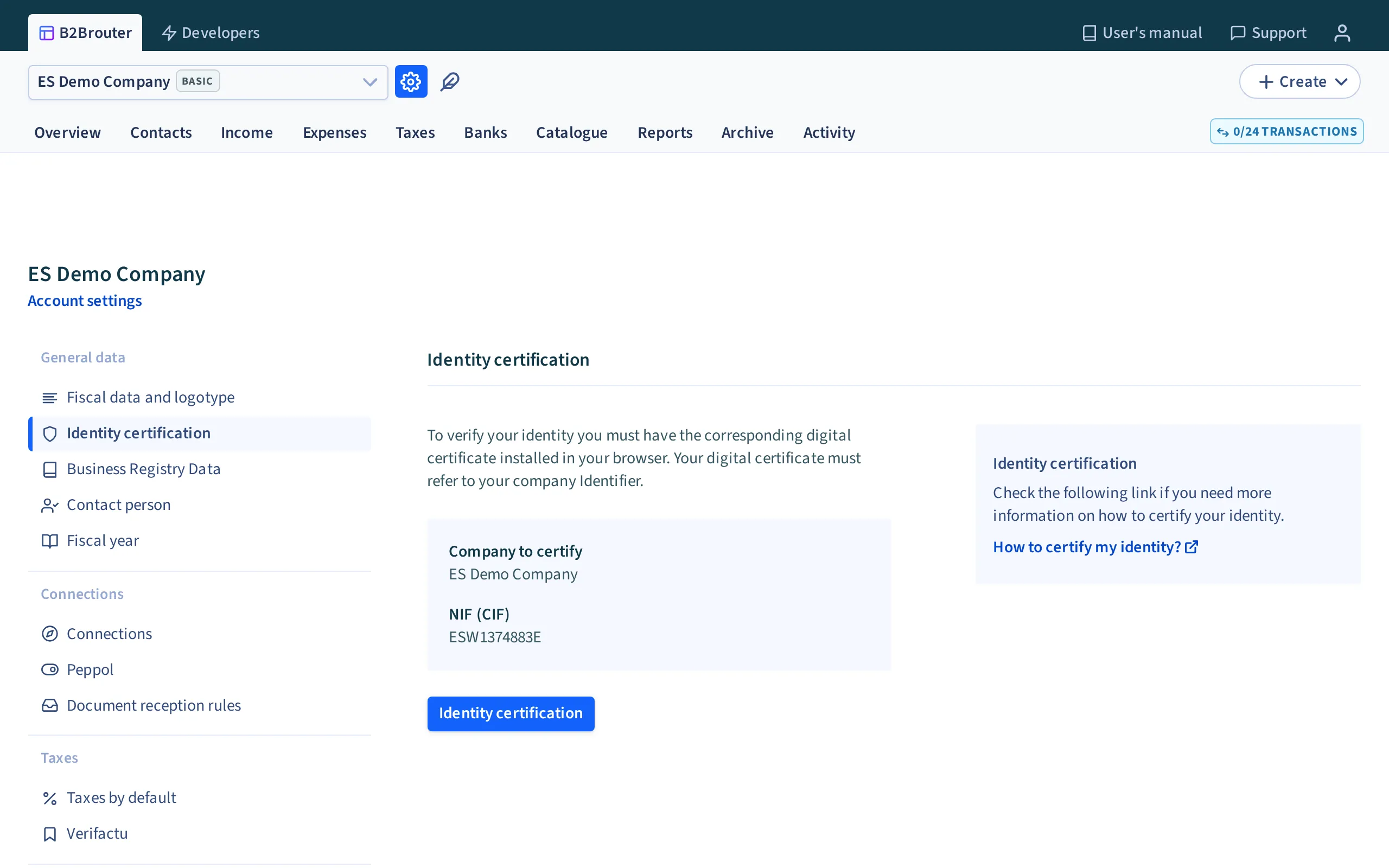
Verify your identity
Once you have completed the previous steps, click on Identity verification to verify your identity using your company’s electronic certificate:
- B2Brouter will seek information from the certificate on the system.
- You must have your company’s certificate correctly installed and configured on your system.
If your certificate is valid and B2Brouter receives the correct information from your system, it will automatically verify and notify you. After that, you can send the e-invoice without any problems.
These are some of the electronic certificates for organisation validation that you can request:
- FNMT-RCM
- Camerfirma
If you have any doubts about whether a particular electronic certificate is valid:
Consult the certificates accepted by B2Brouter.
You can also validate your certificate through this link. In doing so, you can find out if the certificate you are using is valid and contains the same information as your B2Brouter account.
Here you can find more information about the validation and configuration of your certificates.
You can also see some examples of how to import your certificate in different browsers and operating systems.
I cannot verify my identity
Section titled “I cannot verify my identity”If you are having problems verifying your identity, you need to check:
- That your certificate is one of the certificates accepted by B2Brouter.
- That you are using the correct certificate. This should contain the same information as the account you registered on B2Brouter.
- That you have correctly installed the certificate on your system or browser.
- Bear in mind that sometimes the antivirus can affect this process and prevent your system from uploading the certificate to B2Brouter.
In addition to these issues, there may be other features on your system that are preventing the certificate from being uploaded to B2Brouter.